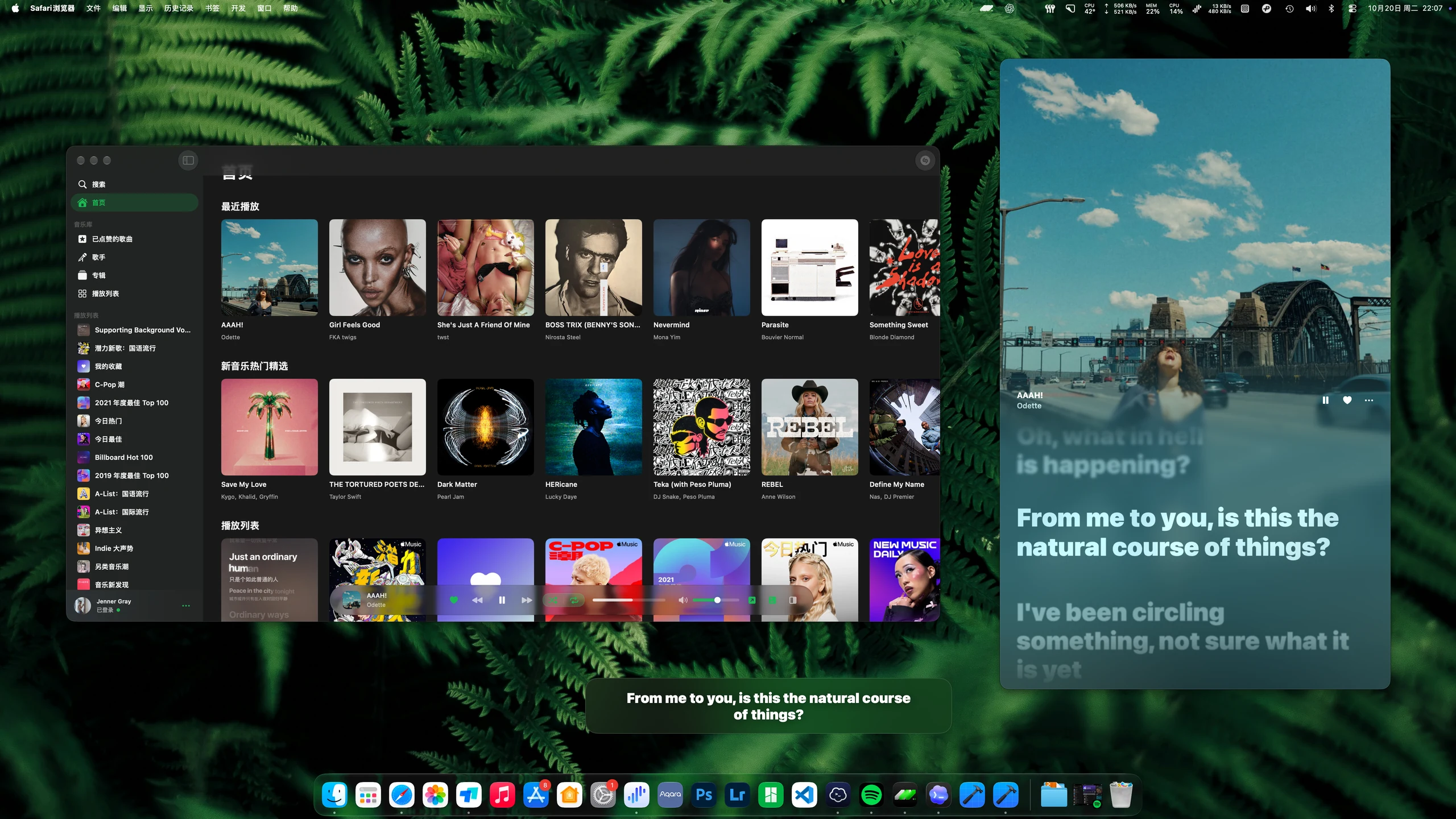

Lyrics with the elegance of Apple Music.
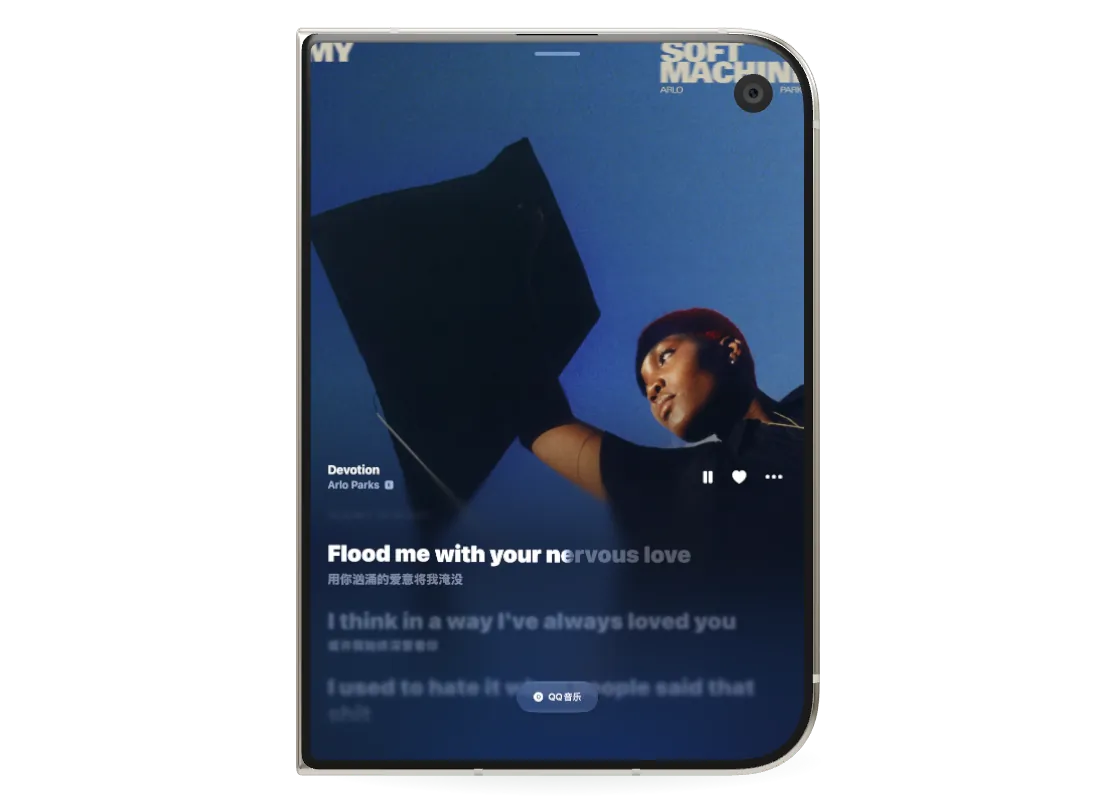
Follow each word with smooth highlighting, plus translations and romanization to help you read along.
Availability depends on the data provided by each lyrics source.In your hand. At your desk. In your living room.
Feel every line, across your Apple devices.
On the go. At your desk. All around you.
Your music. Your usual favorites.
 Spotify
 Apple Music
 Shazam
MORE THAN WORDS
Line by line. Word by word.
Find your own way into the music.
Follow each word with smooth highlighting, plus translations and romanization to help you read along.
Availability depends on the data provided by each lyrics source.Bring lyrics and animated artwork together. Adjust the font, alignment, background, and lyric timing to make the player your own.
Use floating lyrics on iPhone and iPad, and desktop lyrics on Mac. Keep up with the song while you switch apps or carry on working.
YOUR MUSIC. ALL IN ONE PLACE.
Your favorite artists, albums, and playlists.
A familiar way to explore your musical world.
YOUR APPLE DEVICES. IN HARMONY.
In your pocket, at your desk, or in the living room.
Your favorite lyrics, on every screen.
LYRICSNOW
Connect Spotify or Apple Music, or recognize the music around you with Shazam. From the song to the words, naturally.
THE LYRICSNOW WIKI
Setup guides, how-tos, and common questions.
Everything in a place that makes sense.
Spotify App connects through Spotify installed on your device, without entering your own Client ID. It supports lyrics sync and permitted playback controls, with more limited search, library, and queue features. Client ID uses Spotify's Web API and requires your own setup. Its browsing and control features still depend on account access, developer mode, and available endpoints.
First check that the song information is correct, then check the network and available lyrics sources. Not every recording has lyrics. Open manual lyrics matching, search by title and artist, and try another source. If no suitable result is available, import a lyrics file on a supported platform.
Play the target song, open its lyrics candidates, select Upload, and choose the file. The import is bound to the song and playback source active when you select Upload. If you change songs during the import, the file still belongs to the original song. Manage imported files under Local Lyrics in Settings.
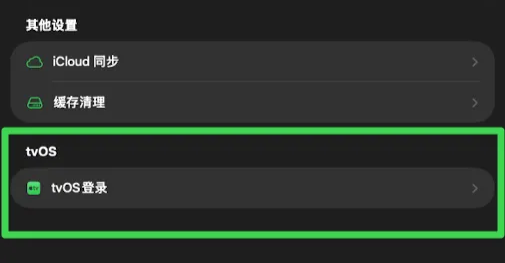
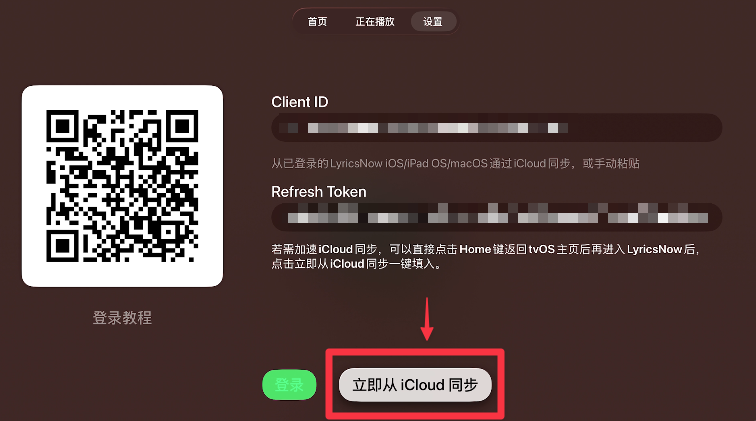
Select Spotify under Settings → Playback & Accounts → Playback Source on Apple TV, then open Sign In. Spotify uses a dedicated tvOS flow: configure Client ID access in LyricsNow on an iPhone / iPad, generate Apple TV credentials there through tvOS Login, and sync them through the same iCloud account or enter them manually. This flow is only for Spotify. Apple Music uses system authorization on Apple TV and needs neither a Client ID nor these credentials. See the Apple TV Spotify sign-in guide. The images below show the earlier Spotify sign-in interface.
BUILT WITH LOVE. SHARED WITH YOU.
Share a moment. Bring a new idea.
Help make LyricsNow a little better, together.